
Mental Metal Academy • Lesson 4 • By MentalMetal Detecting
Your detector is quiet until you lower the coil toward the dirt. Then it gives you a signal, even though you get the same response over several different spots. Before you turn down the sensitivity, check whether the detector is reacting to the ground itself.
Ground balance is the adjustment that helps your metal detector compensate for the response from minerals in the soil. When the ground is causing false signals, a good balance can quiet that response and make it easier to hear a faint coin or relic. If the detector is already running smoothly in mild soil, the factory setting may be all you need.
Watch the Ground Balance lesson
What does ground balance actually change?
Your coil can pick up a response from the soil as well as from a buried target. Iron-bearing minerals in some soils can produce enough of a response that the detector sounds off as the coil gets closer to the ground. You might hear it as you cross a rut or drop the coil at the end of a swing.
Ground balance helps the detector compensate for that soil response. The difference you’re listening for is a quieter response from the ground and a clearer response from a target you can come back to from more than one direction.
When should you ground balance?
| What you notice | What to try |
|---|---|
| The detector runs smoothly over mild soil. | Start with the recommended default for your search mode. |
| The detector responds as the coil approaches the soil in several target-free spots. | Try a ground balance over a clean patch, then repeat the same motion and listen for a change. |
| You move into noticeably different soil and the detector starts falsing. | Recheck ground balance where you’re actually going to hunt. |
| The detector chatters even with the coil held still and away from the soil. | Check for electrical interference. Try Noise Cancel if your machine has it. |
| Wet salt sand makes the detector unstable. | Start with the appropriate saltwater Beach mode if available. Follow your manual’s beach-specific ground balance instructions. |
A signal that repeats over one small spot deserves another pass from a different direction. If every patch sounds off when you lower the coil, check the ground response before you start digging.
How to ground balance a metal detector
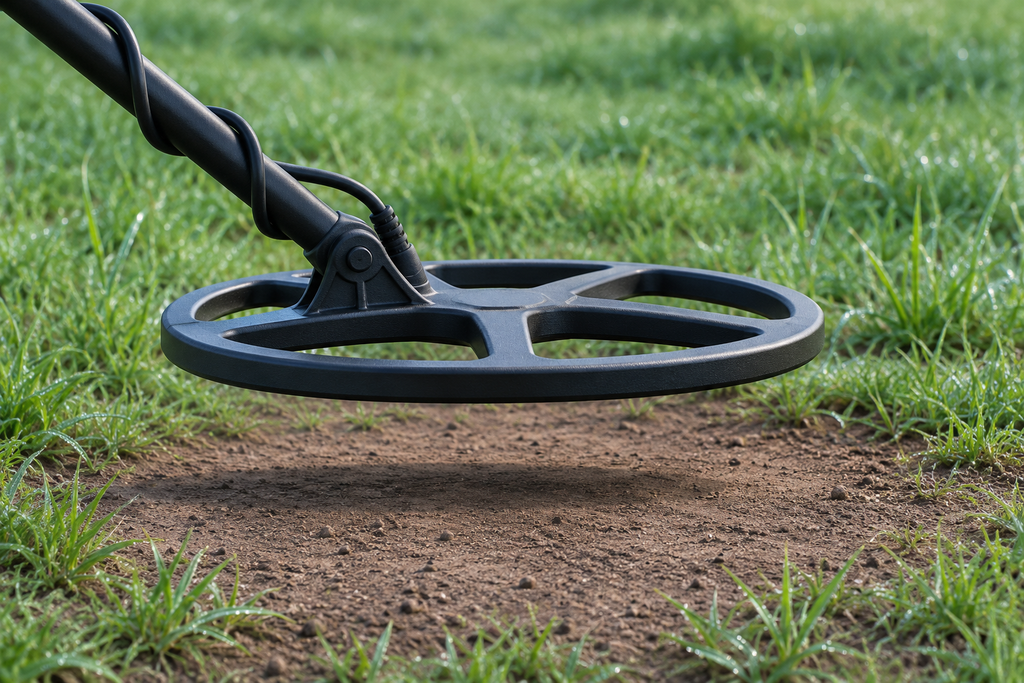
These steps apply to detectors with a one-time automatic ground balance that uses a pumping motion. Check your manual for the exact controls and any instructions for your search mode.
- Choose your search mode first. Set the detector up for the ground you plan to hunt.
- Find a clean patch. Sweep the spot from two directions and move on if you hear a repeatable target.
- Start Auto Ground Balance. Follow your detector’s button sequence. Keep the coil level and raise and lower it over the same patch without touching the ground.
- Let the reading settle. Follow the machine’s completion cue or your manual’s directions for finishing the adjustment.
- Check the same patch again. Repeat the motion and make a few normal sweeps. Listen for less ground response. If the result changes sharply between nearby spots, check for buried metal and try another clear patch.
For a model-specific example, see Do You Need to Ground Balance the Minelab Equinox?.
Auto, manual, or tracking ground balance?
- Auto Ground Balance takes a fresh reading when you start the routine. It’s a good starting point when your detector offers it and the ground is giving you trouble.
- Manual Ground Balance lets you adjust the value yourself. Follow your detector’s audio cues and make small changes until you hear the least ground response over a clear patch.
- Tracking Ground Balance keeps adjusting as you hunt. It can help where mineralization changes across the site. Use it when the manual recommends it for your search mode and conditions.
Try this on your next hunt
Find a clean spot and listen to what happens as you lower the coil. Then run the balance and make the same passes at the same sensitivity. If the soil sounds quieter, sweep over a known target nearby and listen for how clearly it stands out. Changing one setting at a time makes it easier to hear what each adjustment did.
Still getting chatter? Check interference and then work through what sensitivity does and how to adjust it.
Keep learning with Mental Metal Academy
Visit Beginners Start Here for the Academy lessons. If the guides are helping you get more comfortable with your detector, you can support the series through Patreon or the Mental Metal Alliance. See your membership options.
Recent Posts
XP ICON 1.05B Beta and This Week in Metal Detecting A free preview of Mental Metal Intelligence, Issue 009 · November 14–20, 2026 If you own an XP ICON or ICON X and you’ve been watching...
Build a kit around where you hunt. A park, a saltwater beach, and an iron-filled relic site ask different things of your gear. Here’s how I’d choose a detector, what I’d carry on the first...